
Clinic billing software
Clinic billing software for consultations, tests and procedures
Bill each visit as it happens, take payment the way patients pay, and see at the end of the day what came in, what went out and what is still owed.
A bill that grows with the visit
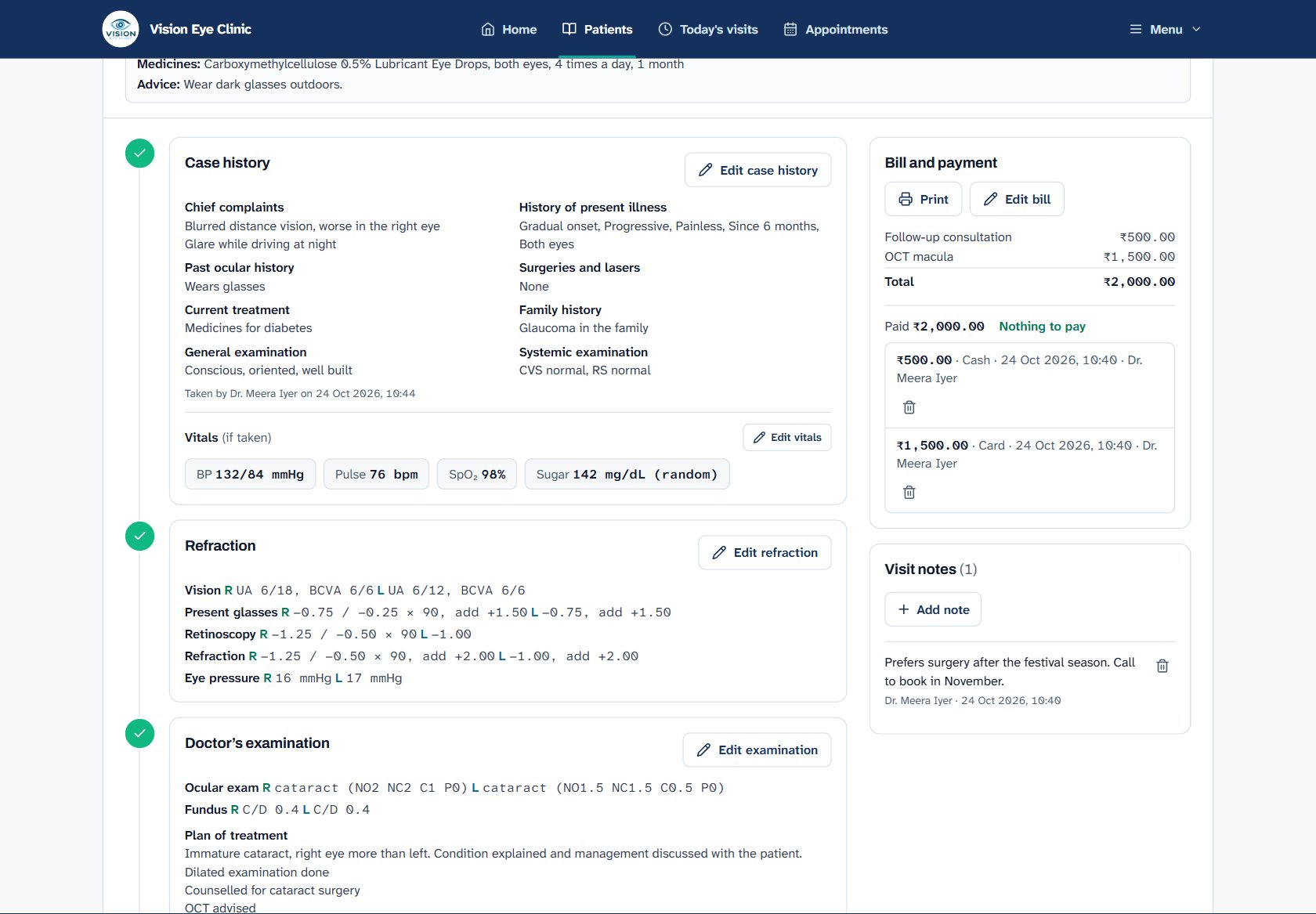
The bill is open alongside the visit from the moment the patient arrives. Consultation fees, tests done in the clinic and procedures are added as they happen, from your own list of services and prices.
Your services and fees
Set your consultation fees, tests and procedures once, with prices, and pick them as you bill.
Tests ordered by the doctor
Tests the doctor orders come to the counter ready to add to the bill in one click.
Receipts on your letterhead
Bills and receipts print with your clinic’s name, logo, address, GSTIN and the visit’s token number.
Payments the way patients pay
Take payment in parts, by cash, card or UPI, and the balance is always clear on the visit. The home screen lists today’s unpaid bills, so nobody leaves without the counter knowing.
Know your numbers
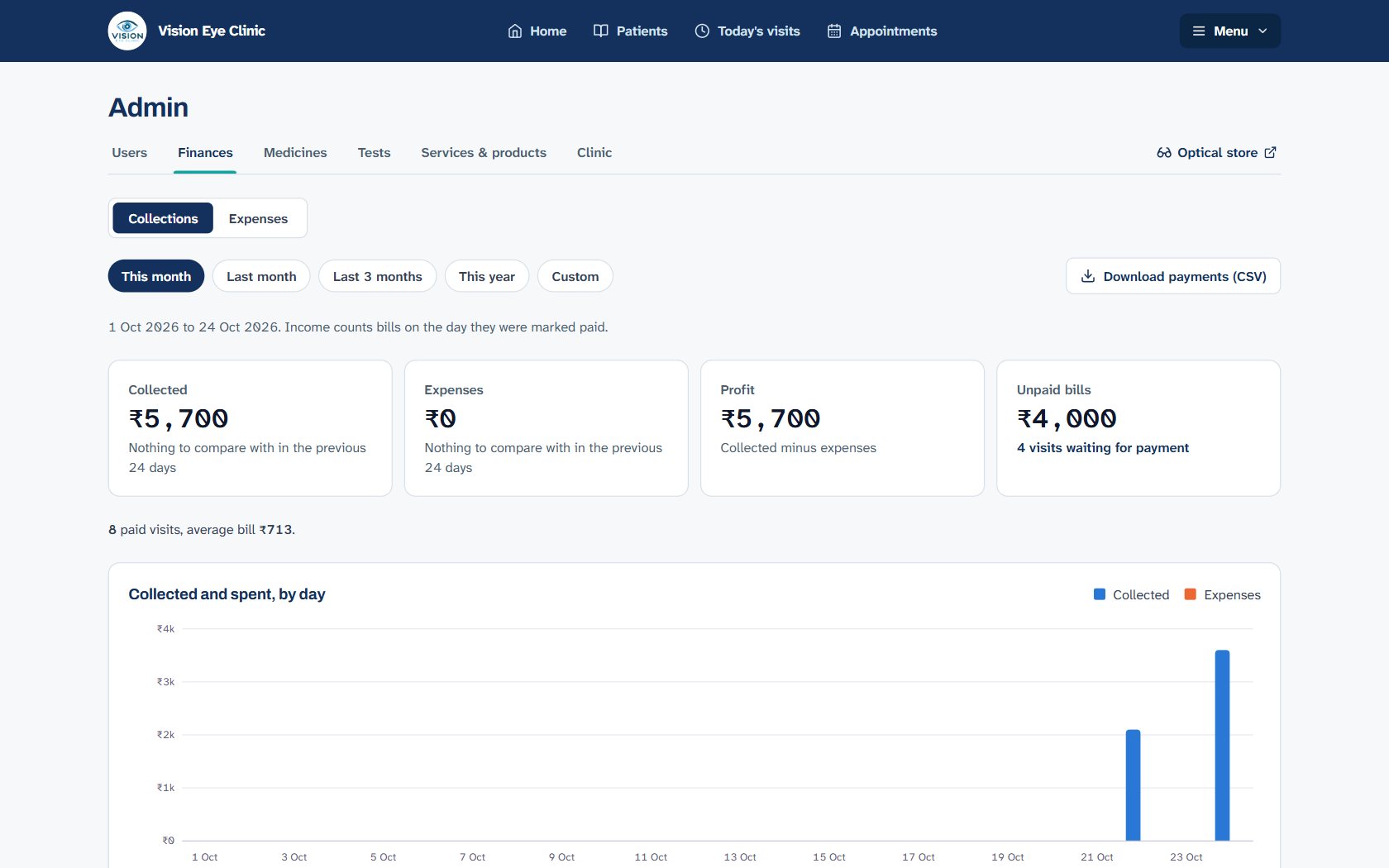
Money collected by day and by payment mode, compared with the same day last week. An expenses register keeps what you spend next to what you collect, and the finance screen shows unpaid bills and where the money came from.
Daily collections
Today’s takings on the home screen, for people with the finance role.
Expenses
Record rent, salaries, supplies and other expenses, by category and payment mode.
Who did what
Every payment shows who took it and when.
Made for
- Clinics that bill consultations, tests and procedures
- Front-desk teams taking cash, card and UPI
- Owners who want daily collections without a spreadsheet
Questions
Can a patient pay in parts?
Yes. Take any number of payments against a bill, by cash, card or UPI. The balance shows on the visit and in the list of unpaid bills.
Do bills show our GSTIN?
Yes. Add your GSTIN in your clinic’s details and it prints on bills. For a spectacle shop, the optical store issues full GST invoices with CGST and SGST.
Can I see collections by payment mode?
Yes. The finance screen shows money collected by day and by cash, card or UPI, alongside expenses and unpaid bills.
How much does it cost?
CliniqNow is free during early access, with billing and finances included.
See CliniqNow with your own clinic’s workflow
Register in a few minutes and start with today’s patients, or book a demo and we’ll walk your team through it.